Six steps, with a picture of each one. Every screenshot here is the real application — nothing is a mock-up. Set aside about ten minutes.
01
Install lantv on the computer that holds your videos
lantv runs on one computer — the one whose folders you want to watch. Everything else in the house only needs a browser, so there is nothing to install on the phones, the tablets or the television.
That computer stays on while anyone is watching. It is the server, and there isn’t a second one anywhere.
02
Point it at your folder
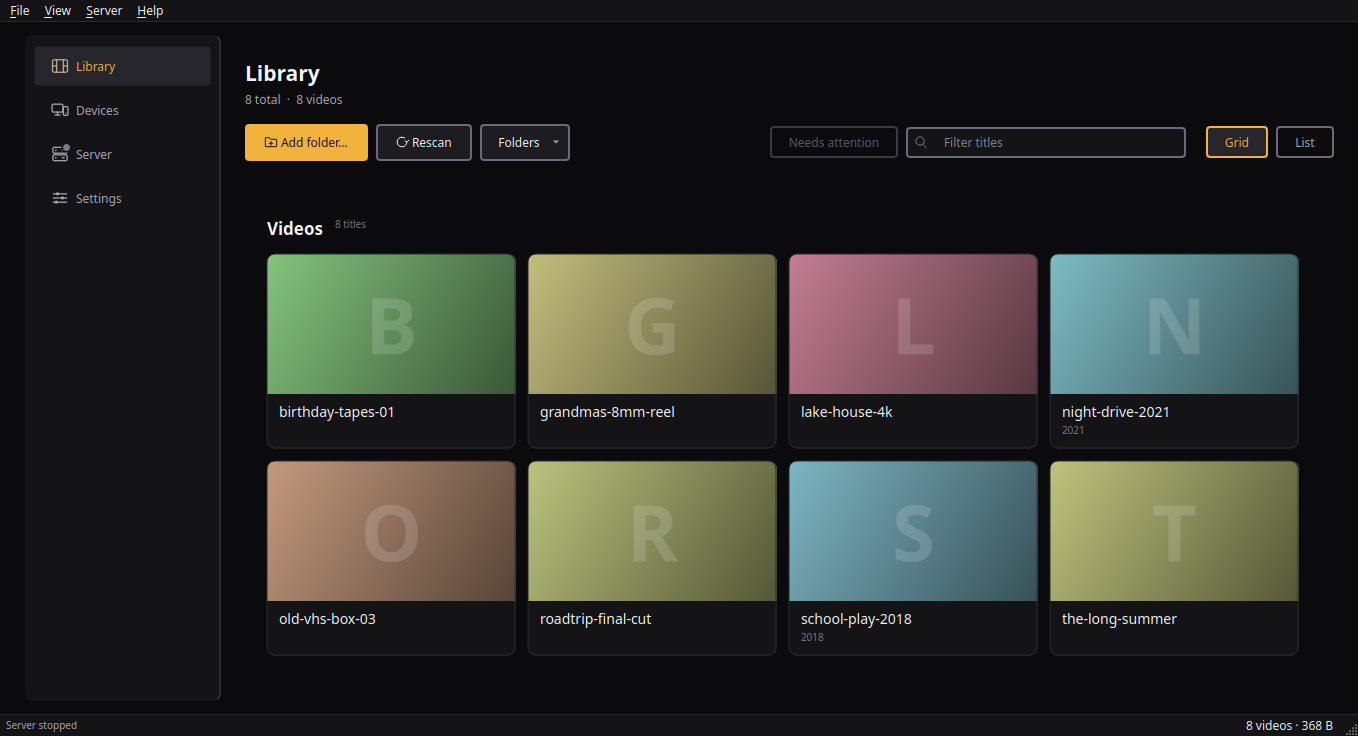
Open lantv and press Add folder. Pick the folder your videos already live in — lantv reads it where it sits, copies nothing, moves nothing, and renames nothing.
Your files keep the names you gave them, and every one of them gets a play button. Where the browser can open a file, lantv sends it untouched; where it cannot, lantv repackages it as it plays, and still never writes a second copy to your disk.
Your folder, read where it sits — nothing copied, nothing renamed, every tile ready to play.Tap the picture to see it full size.
03
If a film will not play, give lantv video tools it can drive
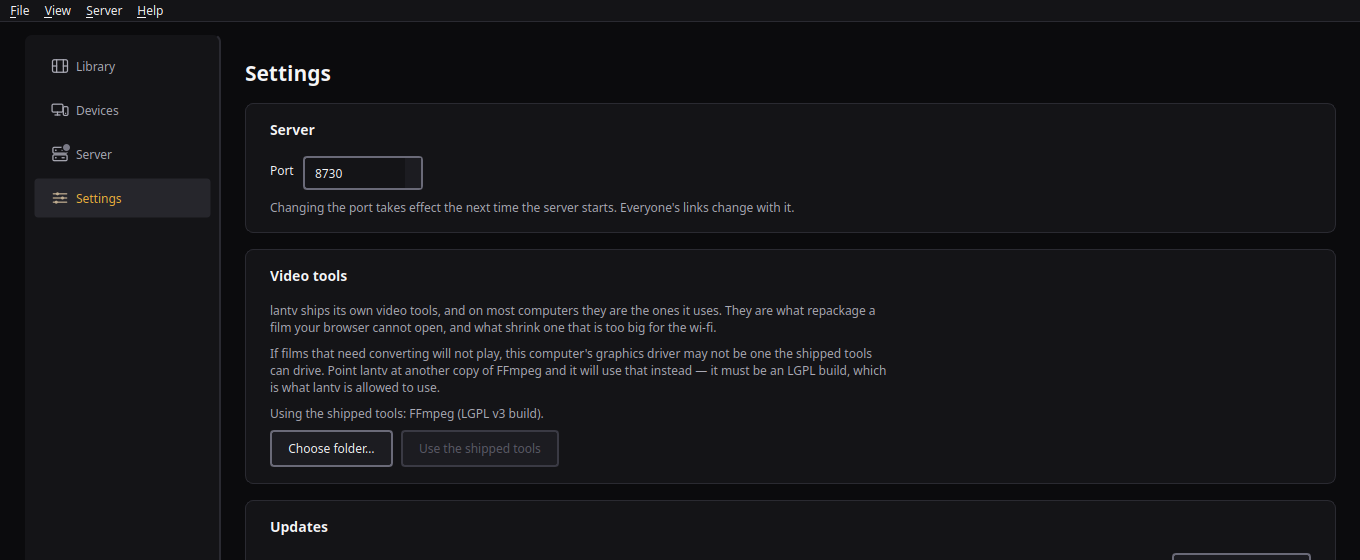
lantv ships its own copy of FFmpeg and uses it on most computers, so this step is one most people never read. Those tools are what repackage a film your browser cannot open, shrink one too big for the wi-fi, pull a poster frame from each film, read the runtimes under the tiles, and unpack subtitles that live inside MKV files.
If films that need converting will not play, this computer’s graphics driver may not be one the shipped tools can drive. Fetch another copy, open Settings, and press Choose folder under Video tools. lantv uses it from that moment — there is nothing to restart.
One rule matters when you fetch it: lantv only accepts an LGPL build, and refuses the GPL builds most download pages and system packages offer — the licence difference is real for a sold product, and the app reads the binary itself rather than trusting a filename. The two linked below are LGPL builds the app accepts. Download the one for your system, unpack it, and choose the folder that holds ffmpeg and ffprobe — usually called bin.
No videos on hand to try it with? Blender’s open films ((CC) Blender Foundation) are free for any use and lovely to test with — Tears of Steel downloads as a single file, Big Buck Bunny arrives zipped.
Settings → Video tools: which copy lantv is using, and the button that changes it.Tap the picture to see it full size.
04
Start the server and copy the address
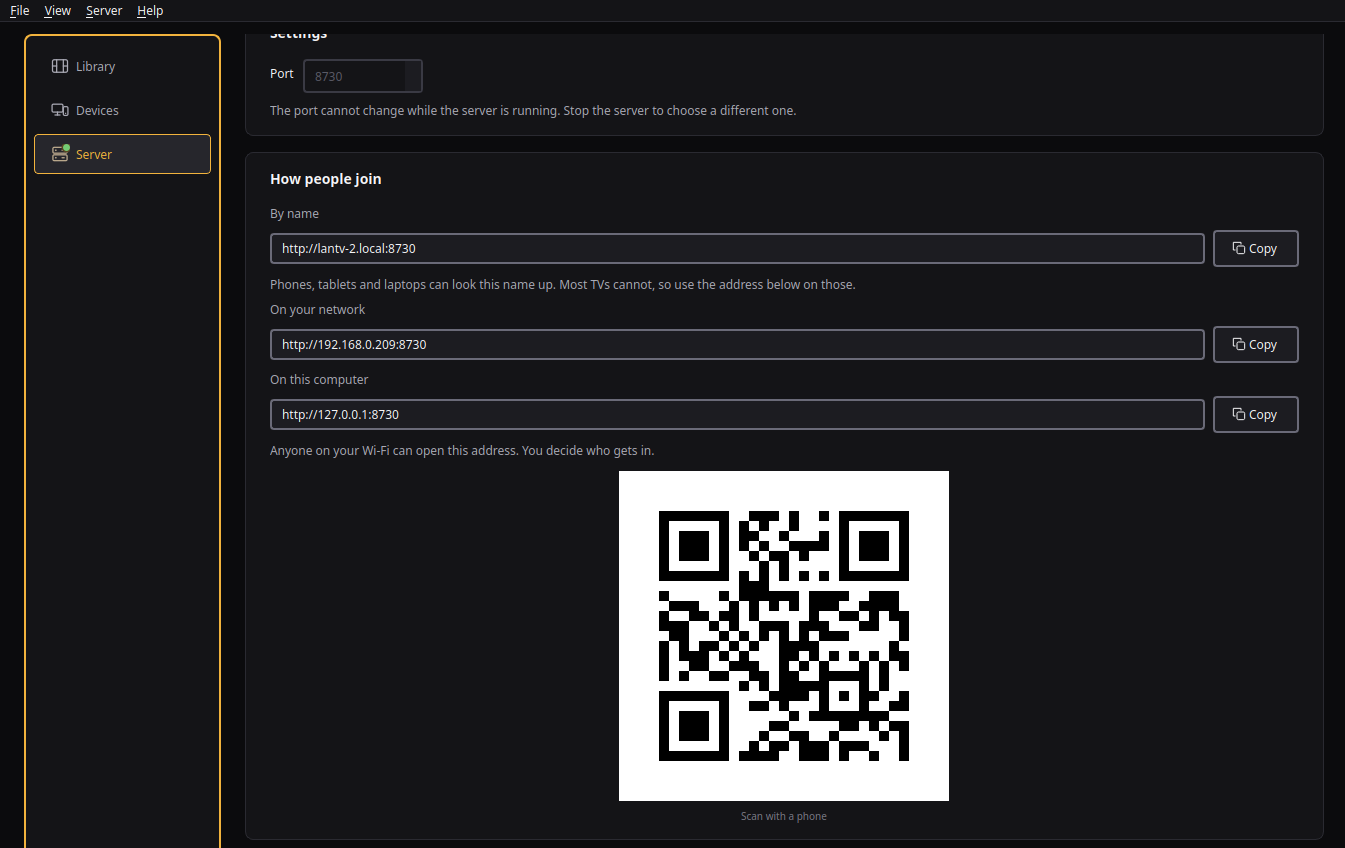
Open the Server page and press Start server. lantv shows three ways in: a name, an address for the rest of your network, and one that only works on this computer.
Phones, tablets and laptops can usually find the name. Most televisions cannot, so use the numbered address on those — or scan the QR code with a phone.
Three doors, one server. The QR code is the shortest route onto a phone.Tap the picture to see it full size.
05
Open that address on the phone or the TV
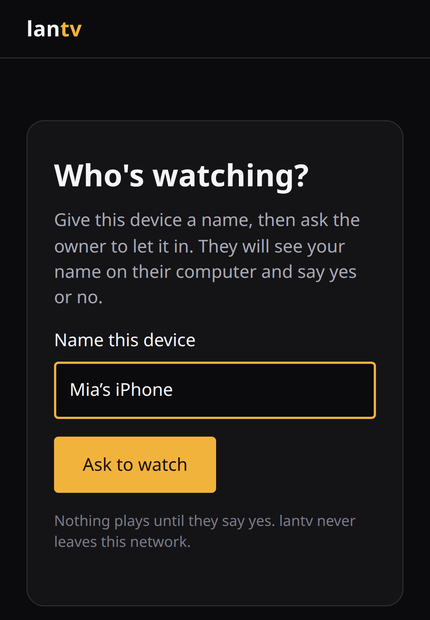
Type the address into the browser that device already has, or scan the code. Nothing gets installed and no account is created — the first thing lantv asks is what to call this device.
Press Ask to watch, and it waits. Nothing plays until you say so from the computer.
The first screen every new device gets. No account, no password — just a name and a request.
06
Say yes on the computer
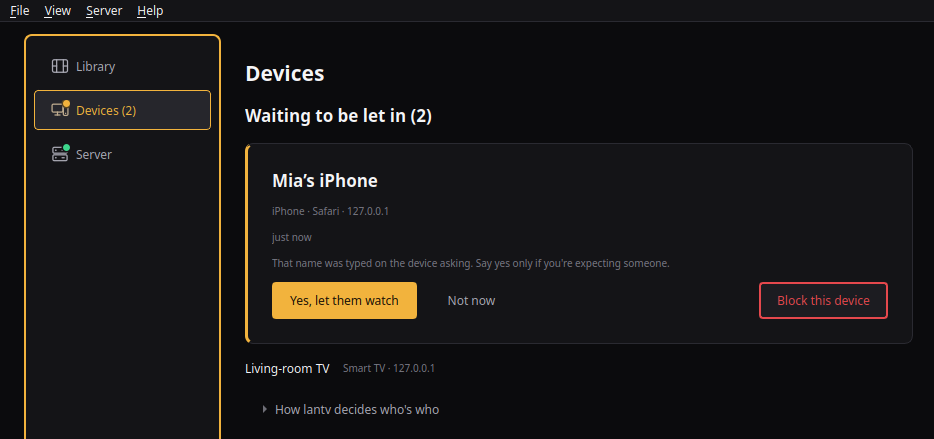
The request appears on the Devices page. You see the name that was typed, what kind of device it looks like, and the address it came from — then you say yes, not now, or block it.
This is the whole of lantv’s security model, and it is deliberately a person deciding rather than a password. A device that is not let in sees nothing: not the films, not the names, not the folder.
You are the only way in. Note the warning: the name was typed on the device asking, so say yes only if you are expecting someone.Tap the picture to see it full size.
07
Press play
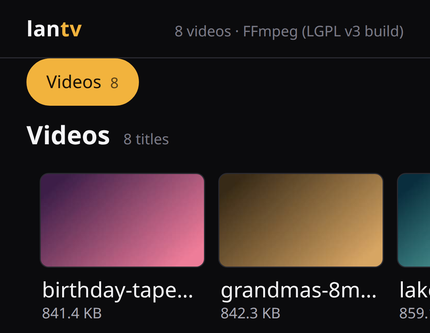
The moment you say yes, the library appears on that device and stays remembered — it never has to ask again.
From here it is just a browser. Pick a title and it plays, on the phone in the kitchen or the television in the living room, without anything leaving your network.
Approved, remembered, and playing — in the browser the phone already had.
If something doesn’t look right
The device can’t find the address
Most televisions can’t look up the .local name — use the numbered address from the Server page on those. And check the device is on the same Wi-Fi as the computer: lantv never leaves your network, which also means it cannot reach a device that isn’t on it.
A title says “Make playable”
It’s in a container browsers don’t open. Press it and lantv rewrites it into one they do, keeping the original untouched. What your machine can and can’t do live is measured, and it tells you before you press play rather than twenty minutes in.
Nothing plays and nobody asked
Check the server is started on the Server page — while it is stopped, nobody can watch. The status bar along the bottom of the window says which address it is serving on.
You said “not now” by mistake
Ask again from the device; the request comes straight back to the Devices page. Blocking is the only decision that sticks, and you can undo it there too.
No account, no cloud, and no step that needed the internet.
The short version of all this lives on how it works, and what lantv needs from your computer is on requirements.